
 Beautiful, printable family trees & lineage charts
Build your family tree
with clarity and elegance
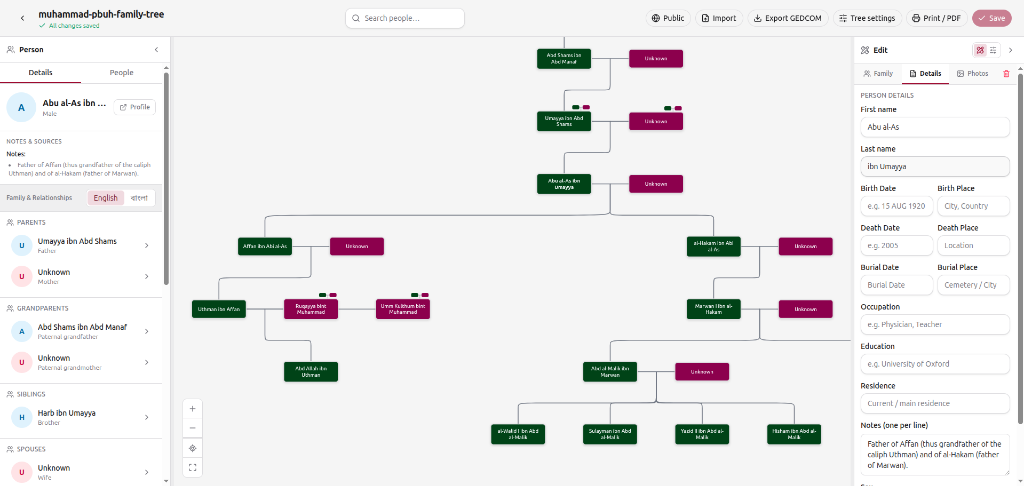
Map parents, spouses, and generations into a clean, shareable chart. Build from scratch or import a GEDCOM file, then export it as a print-ready vector PDF.
Three steps to a finished tree
Add people
Start from yourself and add parents, spouses, and children with a click.
Connect generations
Link relatives, handle multiple spouses, and watch the tree lay itself out.
Share & print
Keep it private, publish a link when you choose, then export a print-ready chart.
Everything you need to keep the record
Bloodline trees
Follow a family line from father to son, up to the oldest forefather and down to the newest generation.
Multiple spouses
Record every marriage, and tie each child to the right one so half-siblings stay distinct.
GEDCOM import & export
Bring an existing genealogy file, and take it with you again whenever you need.
Print-ready wall posters
Export a vector PDF on A4, or on A3, A2, and A1 poster sizes with Premium.
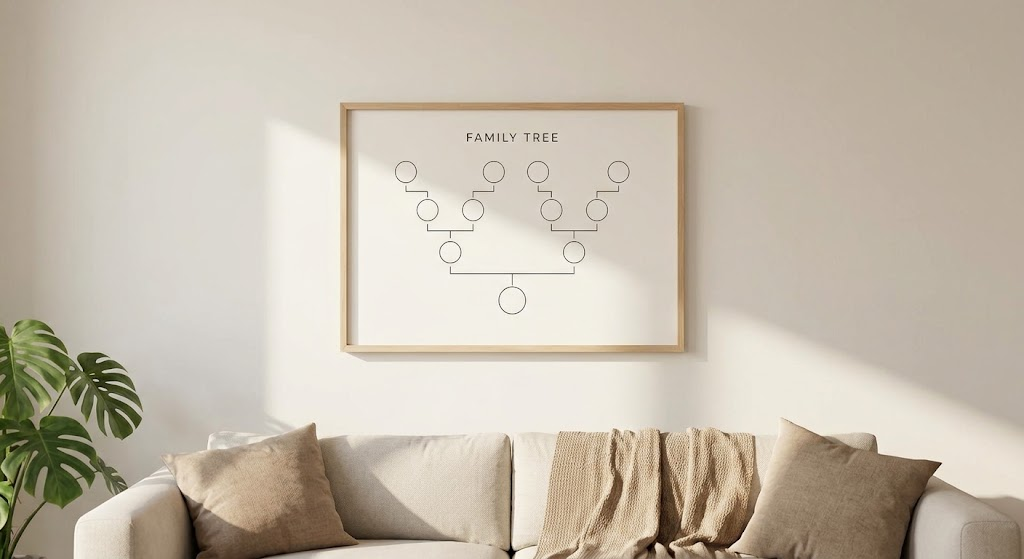
Turn ancestral records into framed living room art
Don't leave your genealogy hidden in software menus. Blaadline exports your family line as a vector PDF on standard A-series paper sizes, which fit ready-made frames.
Built for real family histories
Families are rarely tidy. Blaadline records multiple marriages, half-siblings, and cousin marriages as they happened, and keeps a large tree readable by drawing one family line at a time from whoever you select.
About Blaadline — our mission, features, and how we help you preserve your heritage.
Real family shapes
Remarriages, multiple wives, half-siblings, and cousin marriages are all recorded as they happened, not forced into a tidy nuclear family.
Unlimited generations
Go as far back and as far forward as your research reaches. Move around a large tree without shrinking every card to a sliver.
Link, don't duplicate
Adding a relative who's already in the tree? Search and connect the existing person instead of creating a copy.
Save on your terms
Your edits stay pending until you choose to save, and Blaadline warns you before you leave with unsaved changes.
Ways to use Blaadline
One builder for many purposes: a bloodline chart, a family nasab, a framed reunion poster, or a first look inside a GEDCOM file.
Bloodline Family Tree
Trace a family's male line generation by generation, from its oldest known forefather to the newest grandchild.
Large Wall Posters
Export vector PDFs on A4, or on A3, A2, and A1 poster sizes with Premium, for framing and family reunions.
Islamic Family Tree (Nasab)
Chart a nasab from father to son, with names in Arabic script, multiple wives, and cousin marriages.
Print-Ready PDF
Save your tree as a vector PDF through your browser's print dialog, ready to keep, share, or print.
Free GEDCOM Viewer
Open a GEDCOM 5.5 or 5.5.1 file in your browser and see it as a family chart, with no sign-up.
Published Family Trees
Browse family trees published on Blaadline, including the official tree of the Prophet Muhammad's family.
Guides to build a better tree
Practical, plain-English walkthroughs — from your first names to a print-ready chart.
How to Make a Family Tree: A Step-by-Step Guide
How to build a family tree from scratch: start with yourself, interview the elders while you can, record a source for every fact, and turn the result into a chart you can print and share.
Read guideHow to Open a GEDCOM File (and What It Actually Contains)
GEDCOM (.ged) is the shared file format of genealogy software. What is inside a GEDCOM file, where to get one, and how to open it as a readable family tree.
Read guideHow to Chart a Blended Family Tree: Remarriages and Half-Siblings
How to record remarriages and multiple spouses so every child sits under the right marriage, keep full and half-siblings distinct, and show step-relationships honestly.
Read guideFamily Tree Poster Sizes: Which Paper Fits How Many Generations
Which paper size suits how many generations, why a vector PDF matters at poster size, and how to get a family tree printed and framed at a print shop.
Read guideCousin Chart: What Second Cousin Once Removed Actually Means
A cousin chart and plain-English guide to cousin degrees and what "removed" means, plus how half-, step- and in-law relationships differ from blood relationships.
Read guideGEDCOM 5.5.1 vs 7.0: Key Differences, Media, and Portability
How GEDCOM 5.5.1 and 7.0 differ: character encoding, GEDZip packages for photos, and why 5.5.1 is still the version most tools exchange.
Read guideQuestions, answered
- Can I import my tree from Ancestry or another genealogy program?
- Yes. Export a GEDCOM (.ged) file from Ancestry, MyHeritage, or desktop programs such as RootsMagic and Gramps, and import it when you create a tree or from the builder. FamilySearch's shared Family Tree has no direct GEDCOM export, so it needs a partner program in between. Exporting back out as GEDCOM is free too.
- Who can see my family tree?
- Only you, until you choose otherwise. Trees are private by default. You can publish an unlisted link (readable by anyone who has it, but not listed on Explore) or make the tree public on Explore.
- Is Blaadline a genealogy research database?
- No. Blaadline does not search historical records or suggest ancestors. It is for organizing, visualizing, sharing, and printing the family data you already have — often after research in Ancestry, FamilySearch, MyHeritage, or your own notes.
- Do I need to install anything?
- No. Blaadline runs in your browser. You can start building without an account at /try; sign up with an email and password, or with Google, when you want cloud save and publishing.
- How does saving work?
- Saving is always in your control: the builder tracks your changes as you edit, and you press Save when you are ready. Unsaved work is protected if you navigate away. Guests keep their tree locally in the browser until saving to an account.
- What is free, and what does Premium unlock?
- Building, editing, GEDCOM import and export, and publishing stay free. Free PDF export is A4 with a light watermark. Premium removes the watermark and unlocks poster sizes (A3–A1), extra print templates, and advanced export filters.
- Can I keep more than one tree?
- Yes. Create as many separate family trees as you like and switch between them from your dashboard. Guests keep one local tree until they create an account.
- How do I contact support?
- Email support@blaadline.com.
Ready to start your tree?
Start building instantly with no account required, or sign in to save your trees securely to the cloud and share them with family.